
GETTING STARTED
WORKFLOWS
INTEGRATIONS
HubSpot integration
Keep your FlyCRM contacts and your HubSpot contacts in step. FlyCRM can send contacts to HubSpot, bring HubSpot contacts into FlyCRM, or do both. Lifecycle stages go in both directions. The contact owner goes only from FlyCRM to HubSpot.
The integration syncs contacts only. Deals, companies, and activities do not sync.
How the sync works
You choose one of three sync directions:
| Sync direction | What happens |
|---|---|
| FlyCRM to HubSpot | FlyCRM sends a contact to HubSpot when you create or change it. This is the default. |
| HubSpot to FlyCRM | FlyCRM checks HubSpot for new and changed contacts on a schedule and brings them in. |
| Bidirectional (contacts only) | Both of the above. |
Some facts about the sync:
- Email is the key. FlyCRM matches a FlyCRM contact and a HubSpot contact by email address. FlyCRM skips contacts that have no email address.
- HubSpot does not call your site. FlyCRM asks HubSpot for changes. "Real-time" means that FlyCRM asks every 5 minutes.
- The latest change wins. If a contact changed on both sides, FlyCRM keeps the newer change. If the two times are equal, FlyCRM keeps its own value.
- The first inbound check reads all of your HubSpot contacts. All contacts that are in HubSpot come into FlyCRM, not only the new ones. If your HubSpot account has many contacts, the first check can take some time. FlyCRM also reads all contacts again when you change Sync these lifecycle stages.
- The contact owner does not change inbound. FlyCRM users and HubSpot owners are not linked.
When an email address changes
- You change the email in FlyCRM. FlyCRM finds the HubSpot contact by the old email address and writes the new address on it. The HubSpot contact keeps its owner and history. If HubSpot does not have the old address, FlyCRM creates a HubSpot contact with the new address.
- You change the email in HubSpot. FlyCRM does not change the contact that has the old address. On the next check, FlyCRM creates a new contact with the new address.
Caution: An email change in HubSpot gives you two contacts in FlyCRM. Merge or delete the old contact yourself.
Before you start
You need a HubSpot access token with these four scopes:
crm.objects.contacts.readcrm.objects.contacts.writecrm.objects.owners.readcrm.schemas.contacts.read
You must be a Super Admin in HubSpot, or have developer tools access.
Get a token from a private app
- In HubSpot, go to Development > Legacy apps.
- Select Create legacy app, then select Private.
- On the Basic Info tab, type a name, for example
FlyCRM. - On the Scopes tab, add the four scopes above.
- Select Create app.
- Open the Auth tab, select Show token, and copy the token.
If HubSpot does not let you create a private app
HubSpot is removing the option to create new private apps. Accounts created on or after September 28, 2026 cannot create them. Older accounts lose the option on October 26, 2026. Private apps that already exist continue to work.
If you cannot create a private app, create a service key instead:
- In HubSpot, go to Settings > Integrations > Service Keys.
- Create a service key with the four scopes above.
- Copy the key. Use it as the access token in the steps that follow.
Connect HubSpot
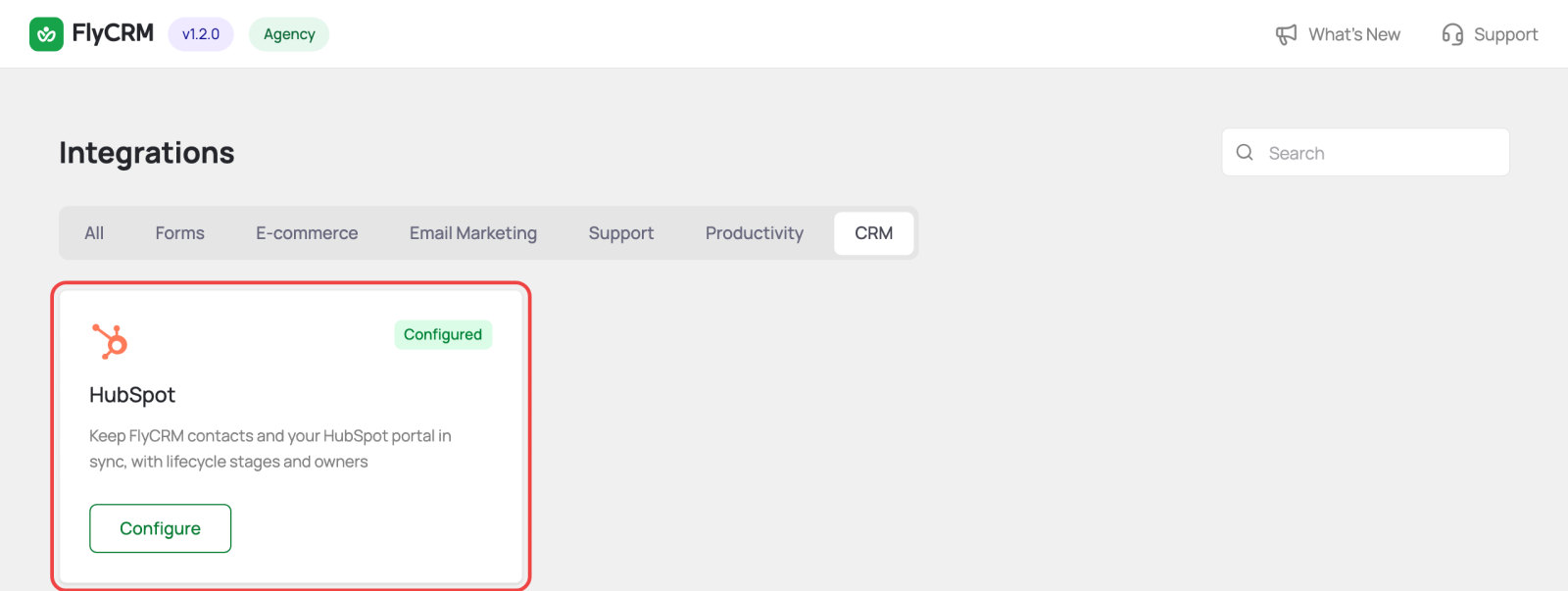
- Go to FlyCRM > Integrations.
- Select the CRM tab.
- On the HubSpot card, select Configure.
- Turn on the switch at the top right.
- Under HubSpot Account, paste your token into Private App Access Token.
- Save the changes.
- Select Test & Connect.
When the connection is good, FlyCRM shows Connected with your HubSpot Portal ID and Account. The lifecycle stage and owner lists then fill with values from your HubSpot account.
If the token does not have a scope, FlyCRM still connects, but it names the missing scope. The lists that need that scope stay empty until you add the scope in HubSpot.
FlyCRM keeps the token encrypted. The settings page shows only its last four characters.
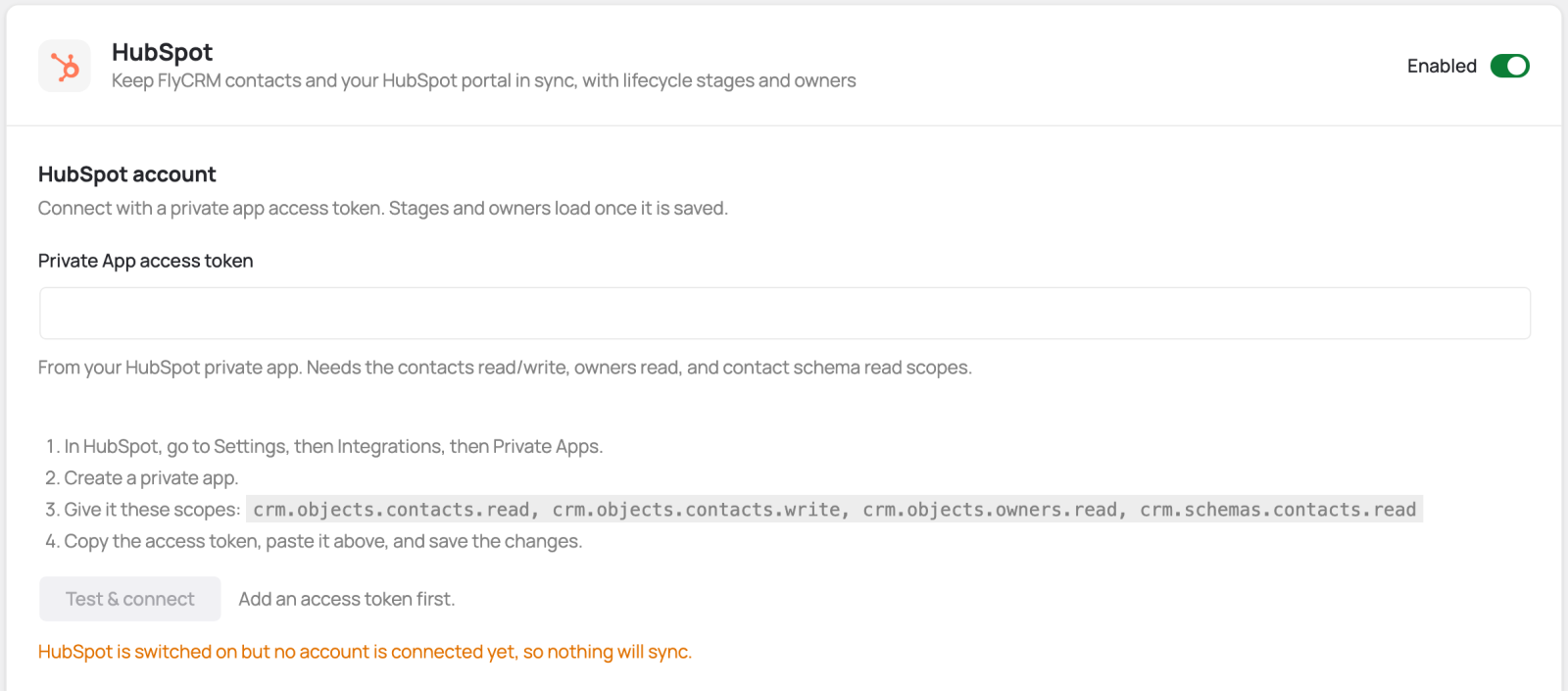
Until you connect an account, FlyCRM shows this message: "HubSpot is switched on but no account is connected yet, so nothing will sync."
Choose the sync direction
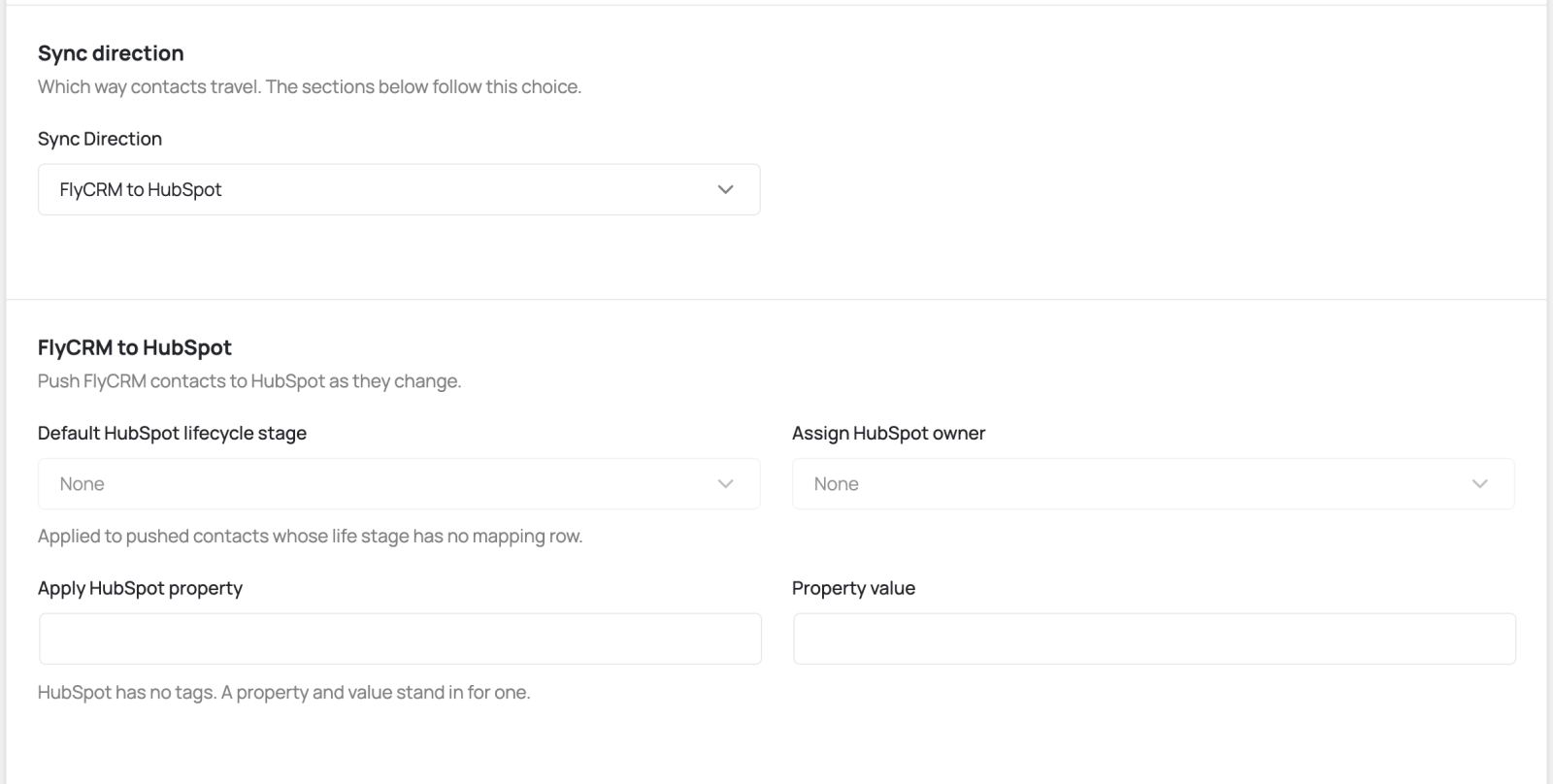
Under Sync Direction, select FlyCRM to HubSpot, HubSpot to FlyCRM, or Bidirectional (contacts only). Then save. The sections below follow your choice. FlyCRM tells you when a section is not used by the direction you chose.
Settings for FlyCRM to HubSpot
| Setting | What it does |
|---|---|
| Default HubSpot Lifecycle Stage | The lifecycle stage for a contact whose FlyCRM life stage has no stage mapping. |
| Assign HubSpot Owner | The HubSpot owner for contacts that FlyCRM sends. Optional. |
| Apply HubSpot Property and Property Value | HubSpot has no tags. Set a property and a value to mark the contacts that came from FlyCRM. Fill in both fields, or leave both empty. |
If a push fails, FlyCRM tries one more time. The failure never stops you from saving the contact in FlyCRM.
Settings for HubSpot to FlyCRM
| Setting | What it does |
|---|---|
| Sync These Lifecycle Stages | Brings in only contacts in the stages you select. Leave all boxes clear to bring in contacts in every stage. |
| Contact Owner | The FlyCRM owner for new contacts that come from HubSpot. |
| Life Stage | The FlyCRM life stage for new contacts whose HubSpot lifecycle stage has no stage mapping. |
| Tag for New Contacts | The tag that FlyCRM adds to new contacts that come from HubSpot. |
| When a synced contact is deleted in HubSpot | What FlyCRM does when a contact is deleted in HubSpot. See the table below. |
A HubSpot contact with a new email address becomes a new FlyCRM contact. Its source is hubspot.
If the email address belongs to a contact in the FlyCRM trash, FlyCRM skips the HubSpot contact. The contact stays in the trash and does not change.
When a contact is deleted in HubSpot
| Setting | What FlyCRM does |
|---|---|
| Do nothing | Keeps the contact as it is (default) |
| Delete the contact and all owned objects | Deletes the contact and its quotes, invoices, and activities |
| Delete the contact but keep related objects | Deletes the contact but keeps its related records |
| Add a note to the contact | Keeps the contact and logs a note |
This setting applies only to contacts that FlyCRM synced with HubSpot. FlyCRM ignores a contact that only has the same email address by chance.
The setting applies only to deletions that occur after you save it. If you change Do nothing to a delete option, FlyCRM does not delete contacts that were deleted in HubSpot before the change.
Field mapping
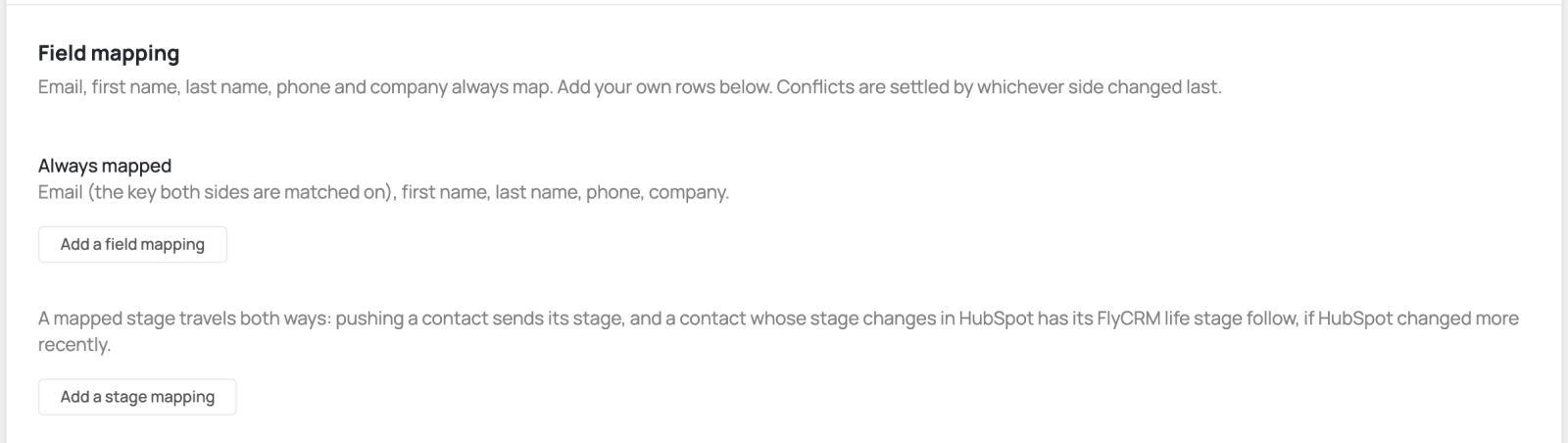
Five fields always map: email, first name, last name, phone, and company.
- Email. Email is the key, so FlyCRM never changes a contact's email from HubSpot.
- Company. FlyCRM sends the name of the linked company. HubSpot stores it as text. From HubSpot, FlyCRM does not create or link a company. It stores the company name in a custom field with the key
hubspot_company, if you created that field. - Your own fields. Select Add a field mapping to pair a FlyCRM custom field with a HubSpot property. Only rows with Use this mapping turned on take part in the sync.
- Lifecycle stages. Select Add a stage mapping to pair a HubSpot lifecycle stage with a FlyCRM life stage. A stage mapping works in both directions. A HubSpot stage with no mapping does not change the FlyCRM life stage.
Sync frequency and Sync Now
Sync Frequency sets how often FlyCRM checks HubSpot for changes:
- Real-time (checks every 5 minutes) (default)
- Hourly
- Daily
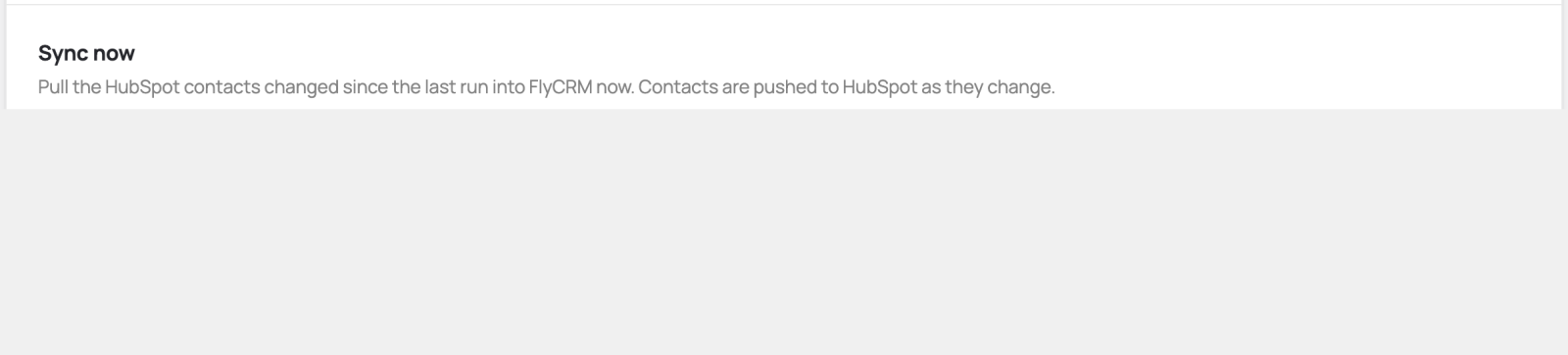
Sync Now brings in the HubSpot contacts that changed since the last check. It works only when the sync direction includes HubSpot to FlyCRM. Contacts go to HubSpot as they change, so the outbound direction does not need Sync Now.
Test the connection
- Change a FlyCRM contact that has an email address.
- Make sure that the change shows on the contact in HubSpot.
- If the direction includes inbound, change a contact in HubSpot.
- Select Sync Now.
- Make sure that the change shows on the contact in FlyCRM.