
GETTING STARTED
WORKFLOWS
INTEGRATIONS
Mailchimp Integration
Sync your FlyCRM contacts with a Mailchimp audience in both directions. This page covers the Mailchimp setup. For the shared ideas — outbound, inbound, unsubscribe actions, and Sync Now — see Email marketing sync.
Before you start
You need a Mailchimp account and a Mailchimp API key. Mailchimp is a hosted service, so there is no plugin to install. FlyCRM Pro is enough on the FlyCRM side.
Connect Mailchimp
- Go to FlyCRM > Integrations.
- Open Mailchimp under Email Marketing and turn it on.
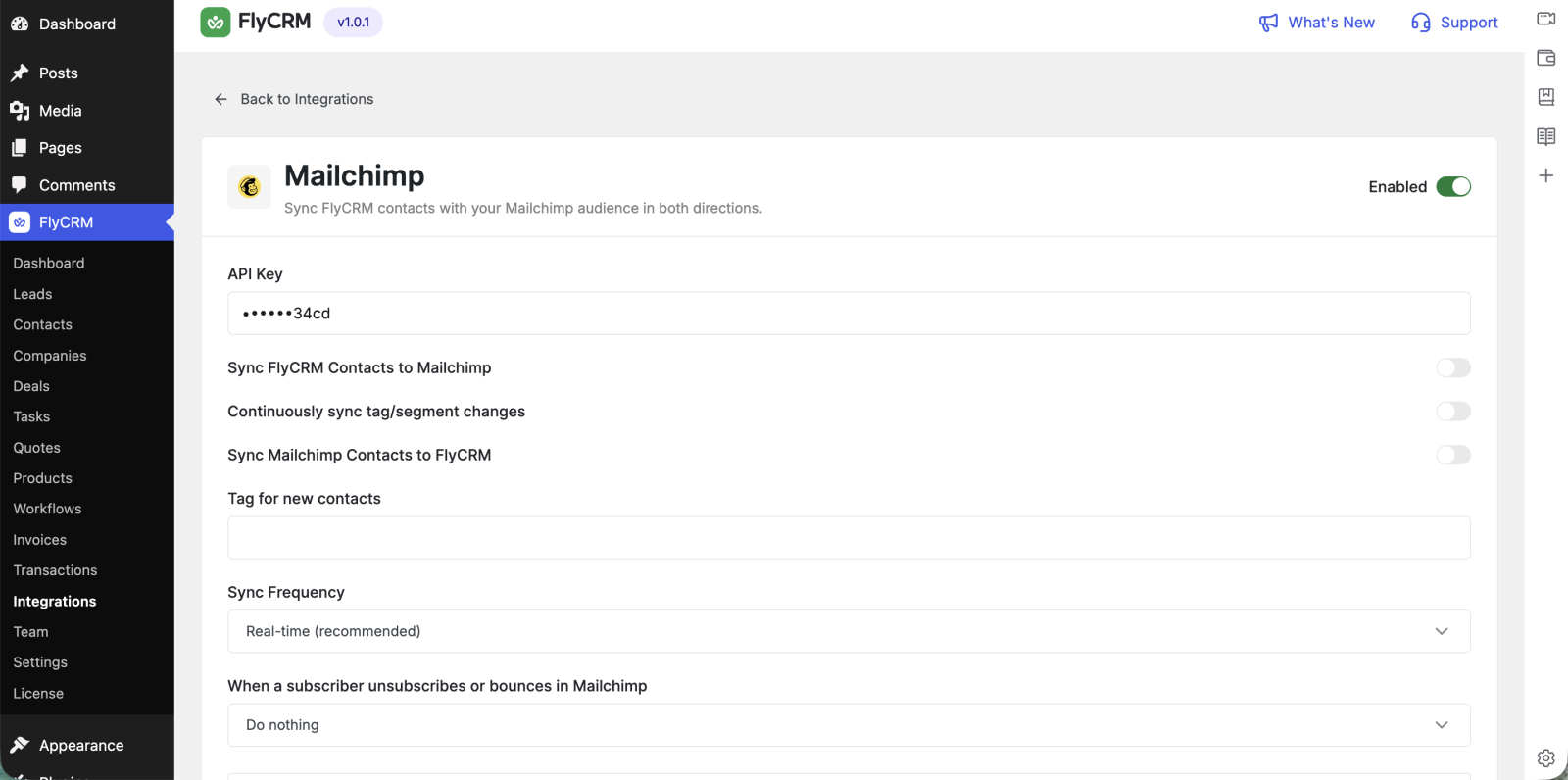
- Paste your API Key.
- Save.
FlyCRM reads your Mailchimp lists once the key is in. Your key is stored encrypted, and the settings screen only ever shows its last four characters.
Push contacts to Mailchimp (outbound)
- Turn on Sync FlyCRM Contacts to Mailchimp.
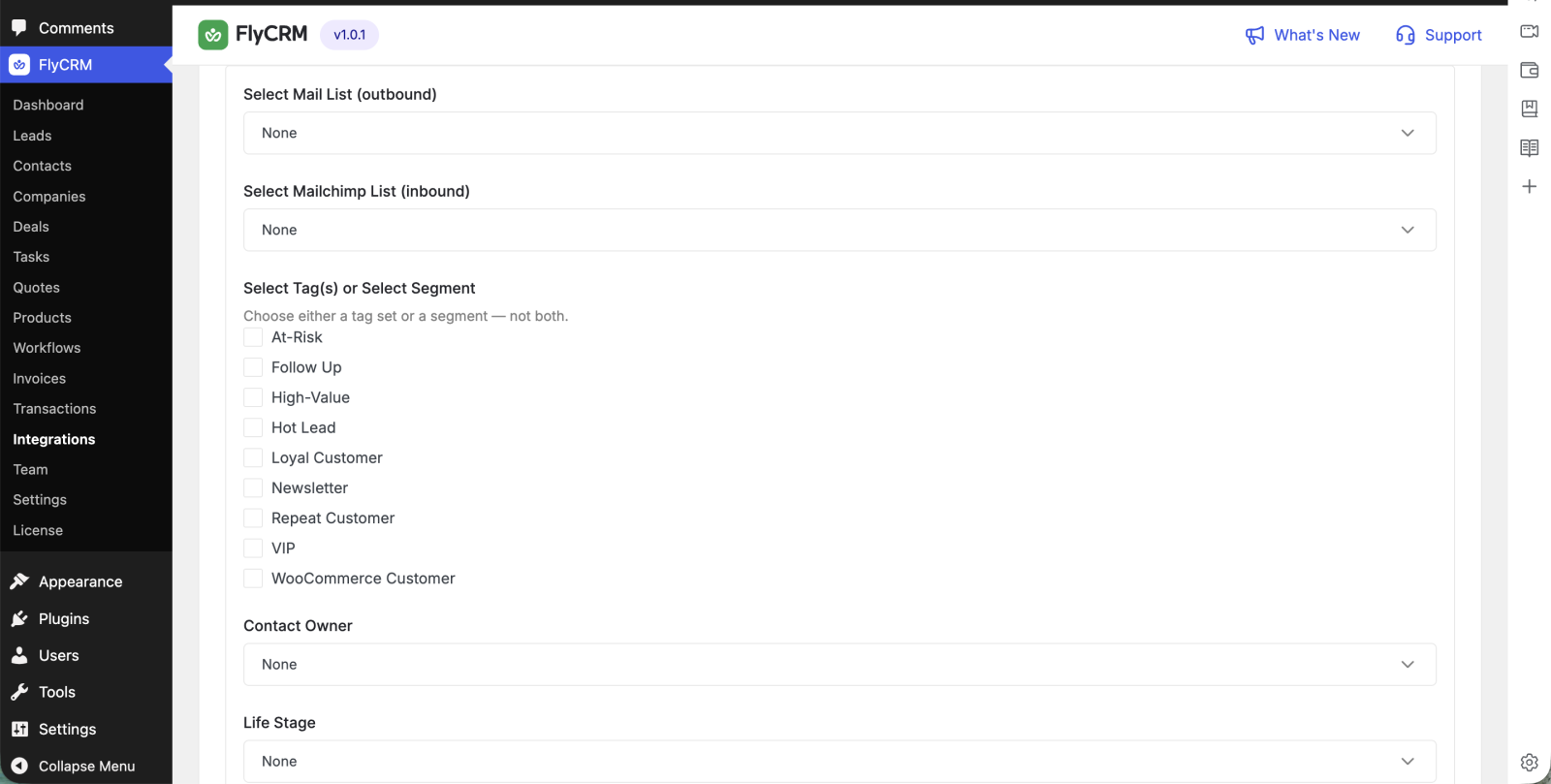
- Under Select Mail List, pick the audience to push to.
- To push only some contacts, choose one or more Tags, or choose a Segment. Pick tags or a segment, not both.
- To keep tag and segment changes flowing after the first push, turn on Continuously sync tag and segment changes.
Outbound sync will not run until you pick a list. FlyCRM warns you if the direction is on without one.
Pull subscribers into FlyCRM (inbound)
- Turn on Sync Mailchimp Contacts to FlyCRM.
- Under Select Mailchimp List, pick the audience to read from.
- Set the Contact Owner, the Life Stage, and a Tag for new contacts.
New subscribers arrive through a Mailchimp webhook, which FlyCRM registers for you. A scheduled check runs as a fallback, so a missed webhook still gets picked up.
Sync frequency
Sync Frequency sets how often the fallback check runs: Real-time (recommended), Hourly, or Daily. Real-time leans on the webhook and reconciles often. Hourly and daily reconcile less.
When a subscriber unsubscribes
Set When a subscriber unsubscribes or bounces in Mailchimp to the action FlyCRM should take. The four choices are the same for every email tool.
Test the connection
- Select Sync Now to run an immediate sync in both directions you turned on.
- Change a FlyCRM contact and confirm it appears in the Mailchimp audience.
- Add a subscriber in Mailchimp and confirm the contact appears in FlyCRM.