
GETTING STARTED
WORKFLOWS
MCP
MCP tools reference
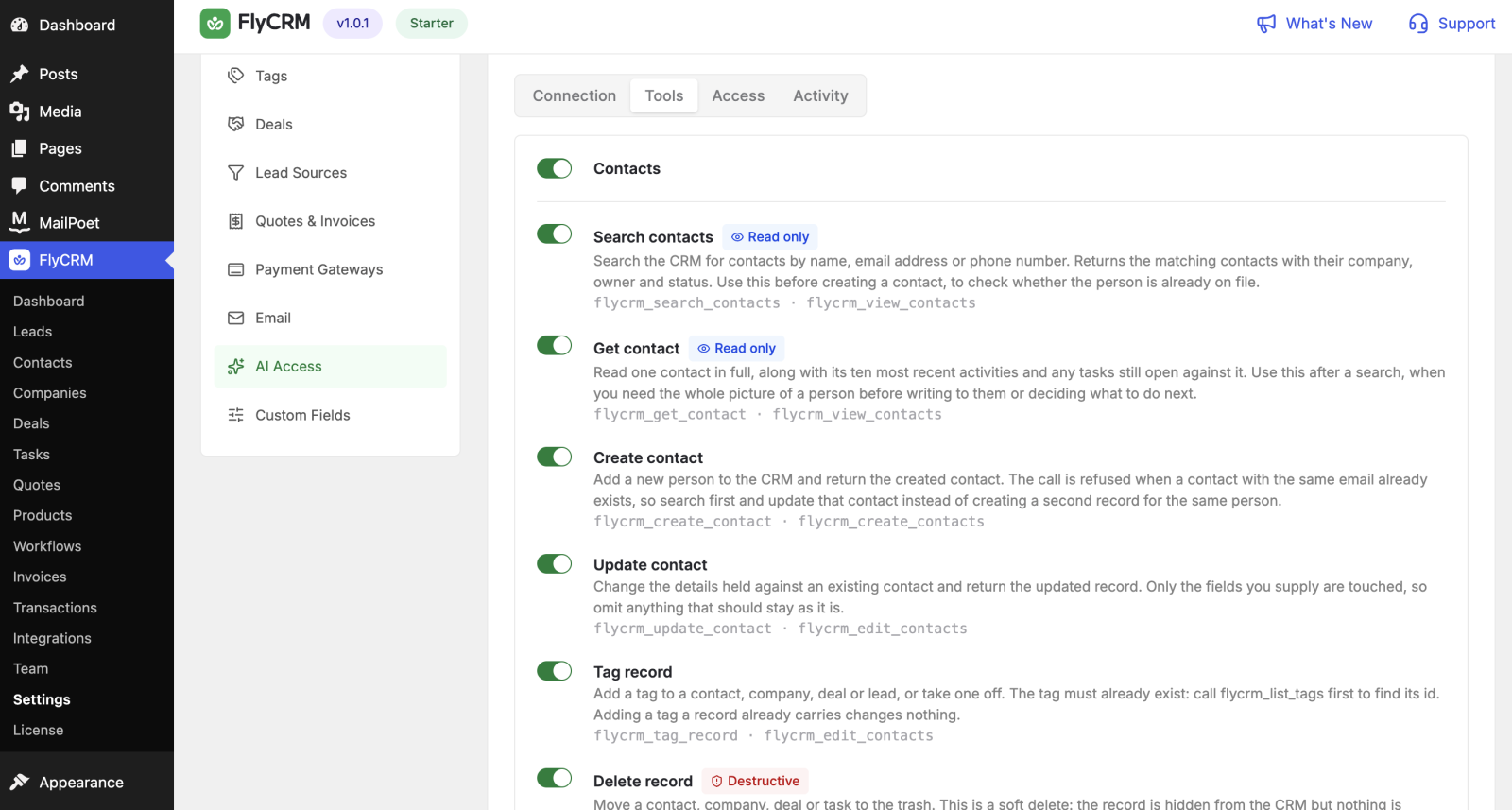
This page lists every tool the FlyCRM MCP server offers. An AI client calls these tools to work with your CRM. You can turn off any tool in Settings > MCP.
Each tool acts with the CRM permissions of the signed-in user. A read tool returns only records that user can see. A write tool changes only records that user can change.
Search and read tools
These tools find and fetch records. They do not change data.
| Tool | What it does |
|---|---|
| search_contacts | Find contacts by name, email, or other fields |
| search_companies | Find companies by name or other fields |
| search_leads | Find leads by name, source, or status |
| search_deals | Find deals by name, stage, or value |
| search_quotes | Find quotes and invoices |
| get_contact | Fetch one contact by id |
| get_company | Fetch one company by id |
| get_lead | Fetch one lead by id |
| get_deal | Fetch one deal by id |
| get_quote | Fetch one quote or invoice by id |
| get_task | Fetch one task by id |
List tools
These tools return the options and settings an AI needs to fill a field correctly.
| Tool | What it does |
|---|---|
| list_pipelines | List pipelines and their stages |
| list_statuses | List the contact and company statuses |
| list_tags | List the tags in use |
| list_lead_sources | List the lead sources |
| list_users | List the CRM users |
| list_tasks | List tasks, with filters |
| list_activities | List activities on a record |
Create tools
These tools add new records.
| Tool | What it does |
|---|---|
| create_contact | Create a contact |
| create_company | Create a company |
| create_lead | Create a lead |
| create_deal | Create a deal |
| create_task | Create a task |
Update tools
These tools change an existing record.
| Tool | What it does |
|---|---|
| update_contact | Change a contact |
| update_company | Change a company |
| update_lead | Change a lead |
| update_deal | Change a deal |
| update_task | Change a task |
Action tools
These tools do a specific CRM action. Some change data in ways that are hard to undo.
| Tool | What it does |
|---|---|
| convert_lead | Convert a lead into a contact, company, and deal |
| move_deal_stage | Move a deal to another pipeline stage |
| close_deal | Mark a deal won or lost |
| log_activity | Log a note, call, email, or meeting |
| tag_record | Add a tag to a record |
| delete_record | Delete a record |
CAUTION: The
delete_recordtool removes data. Turn it off in Settings > MCP unless you need an AI to delete records. Once off, no client can call it.
Report tools
| Tool | What it does |
|---|---|
| get_pipeline_report | Return the pipeline report — deals and value by stage |