
GETTING STARTED
WORKFLOWS
INTEGRATIONS
Mailpoet Integration
Before you start
Install and activate MailPoet. It is a WordPress plugin that runs on your own site. Until MailPoet is active, the FlyCRM integration stays turned off.
MailPoet needs no API key and no webhook. Both plugins run on the same site, so the sync happens in real time, in-process, with no remote service in between.
Connect MailPoet
- Go to FlyCRM > Integrations.
- Open MailPoet under Email Marketing and turn it on.
- Set up outbound sync, inbound sync, or both, then save.
Push contacts to MailPoet (outbound)
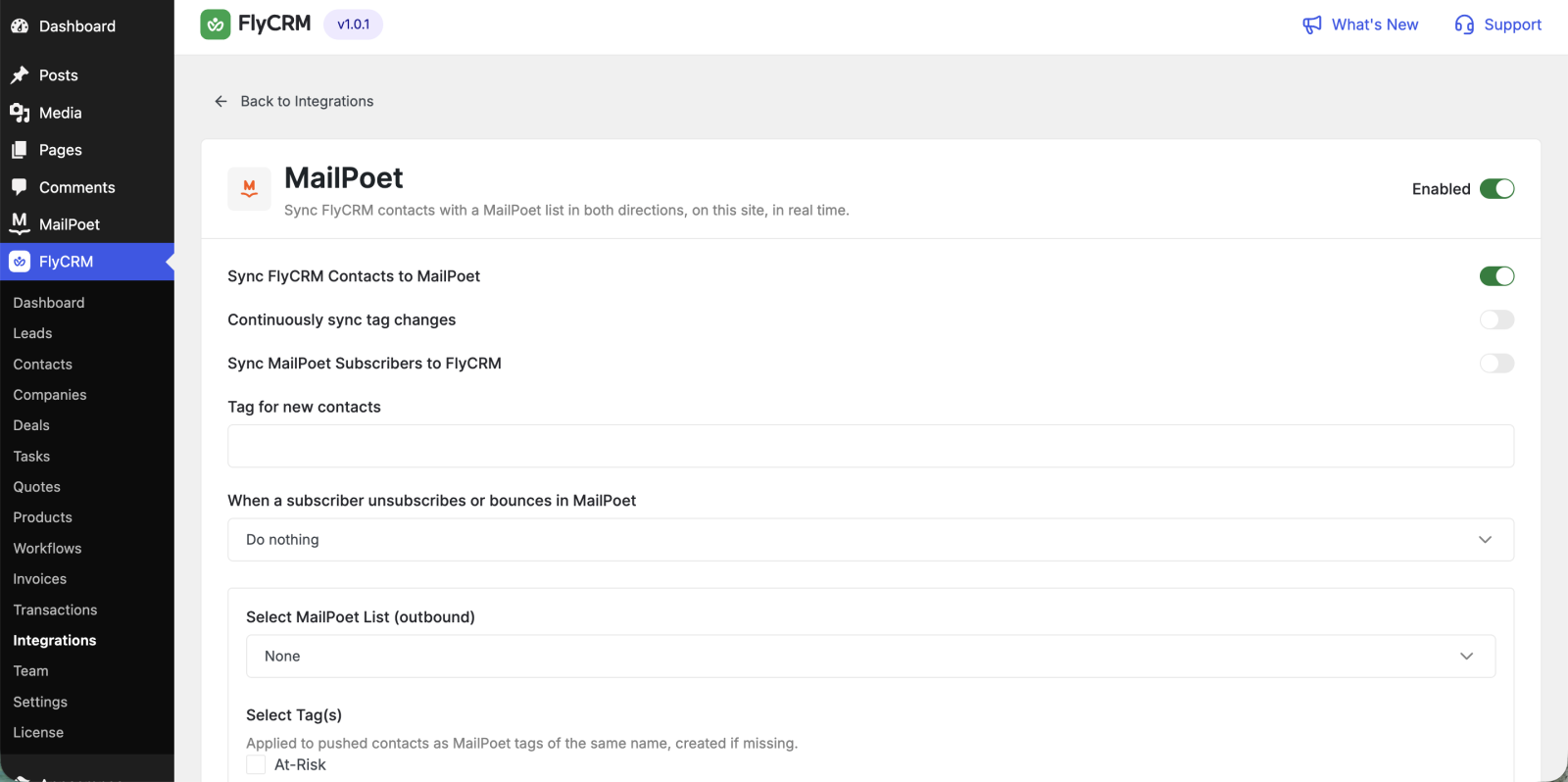
- Turn on Sync FlyCRM Contacts to MailPoet.
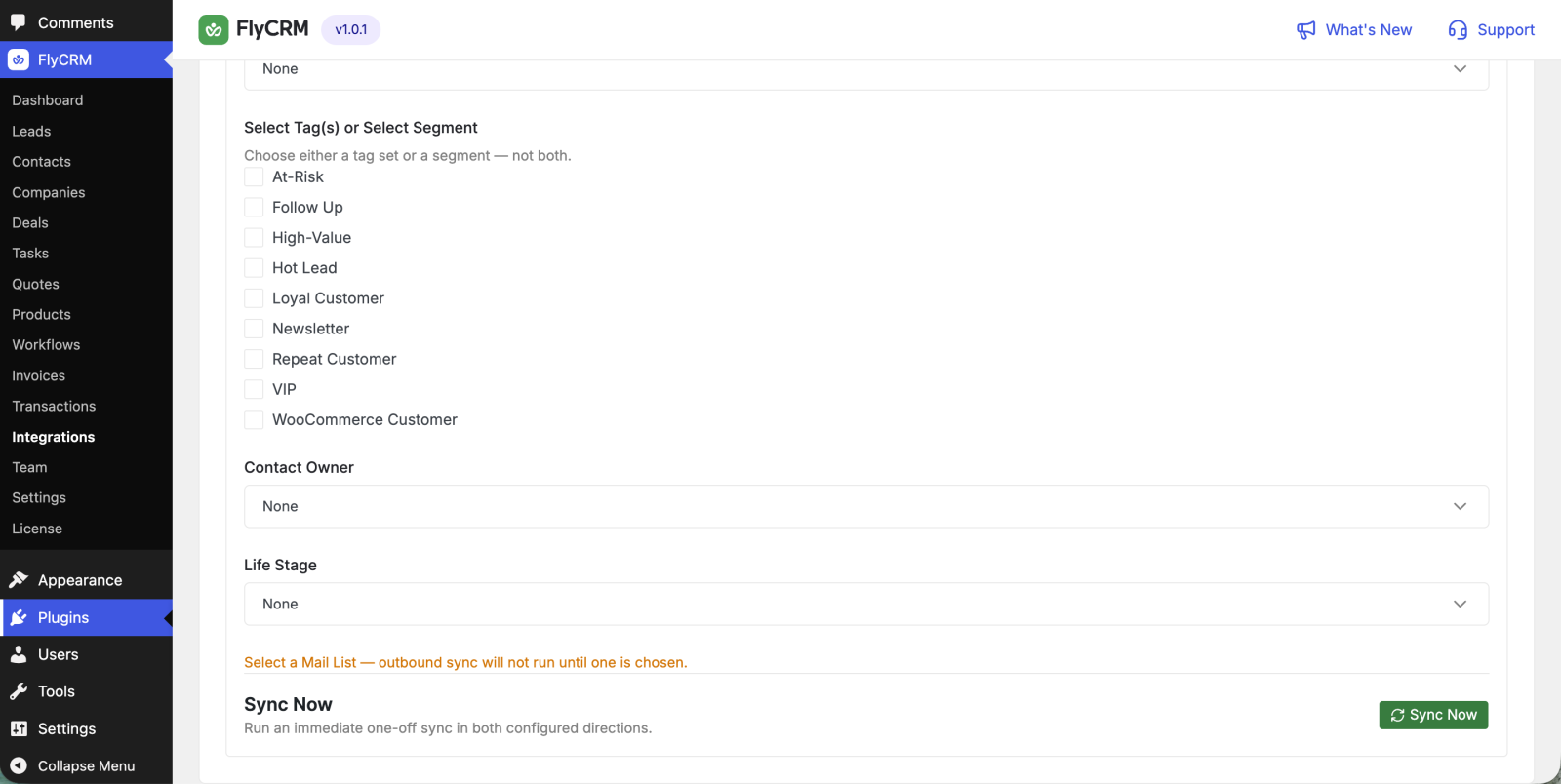
- Under Select MailPoet List, pick the list to push to.
- To push only some contacts, choose one or more Tags.
- To keep tag changes flowing after the first push, turn on Continuously sync tag changes.
Confirmation email
Turn on Let MailPoet send its confirmation email to synced contacts to allow MailPoet's own signup confirmation email to go out to pushed contacts.
MailPoet, not FlyCRM, decides whether a pushed contact is subscribed or left unconfirmed. That comes from MailPoet's own signup-confirmation setting. This toggle only controls whether the confirmation email is sent. If MailPoet confirmation is on and this toggle is off, the contact stays unconfirmed until MailPoet confirms them another way.
Pull subscribers into FlyCRM (inbound)
- Turn on Sync MailPoet Subscribers to FlyCRM.
- Under Select MailPoet List, pick the list to read from.
- Set the Contact Owner, the Life Stage, and a Tag for new contacts.
A subscriber who joins or leaves the list reaches FlyCRM the moment it happens. There is no delay and nothing to schedule.
When a subscriber unsubscribes
Set the unsubscribe action to what FlyCRM should do when a subscriber unsubscribes or bounces in MailPoet. The four choices are the same for every email tool.
Test the connection
- Select Sync Now to run an immediate sync in both directions you turned on.
- Change a FlyCRM contact and confirm it appears in the MailPoet list.
- Add a subscriber in MailPoet and confirm the contact appears in FlyCRM.