
GETTING STARTED
CONTACTS
COMPANIES
DEALS
Activities
Other Features
DEALS
How to move a deal through the pipeline
A pipeline holds the stages of a sale. A deal moves from one stage to the next as the sale progresses. The stages are Qualified, Proposal, Negotiation, Won, and Lost. This guide shows how to move a deal through the pipeline.
Move a deal on the board
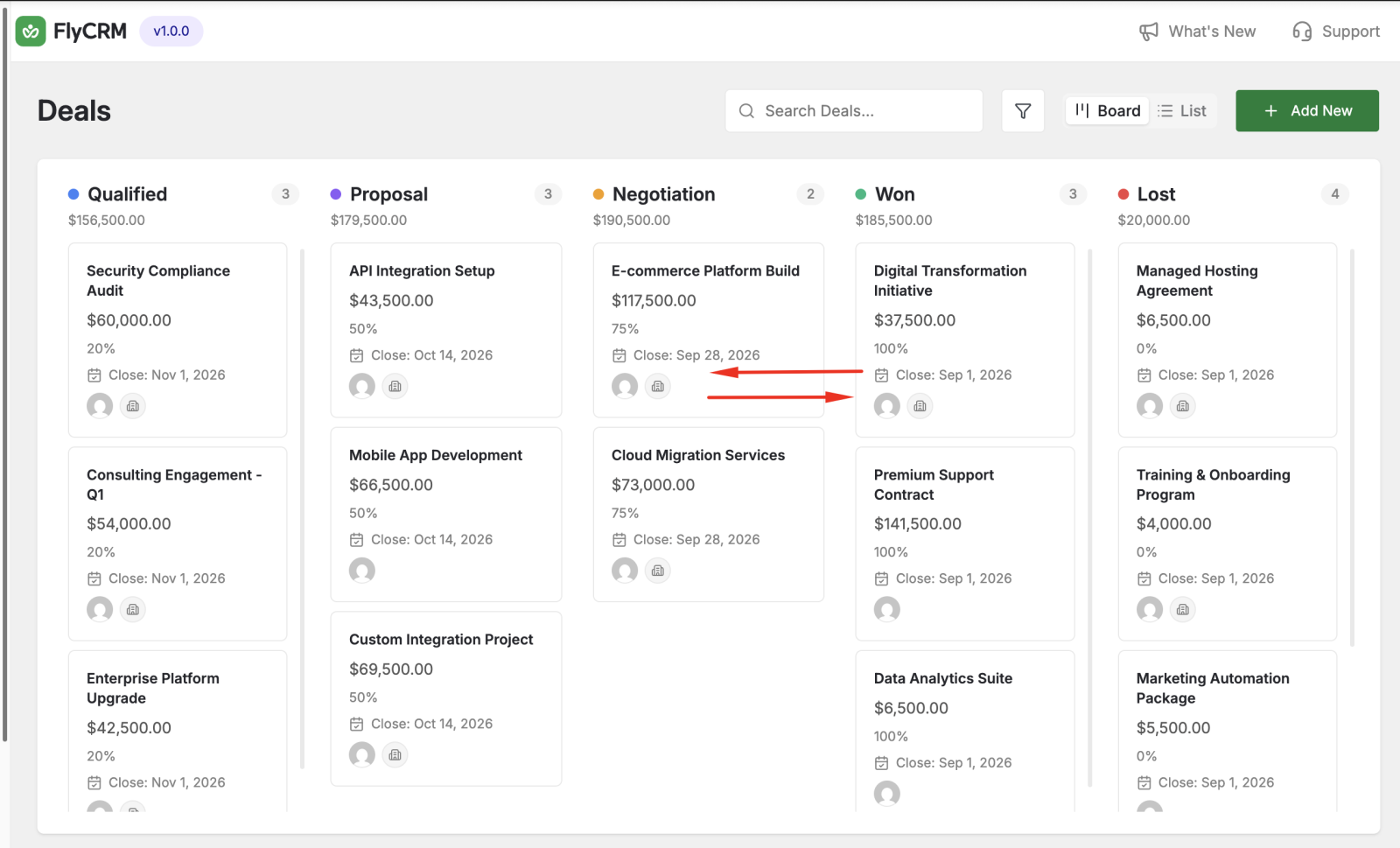
The board shows one column for each stage.
- In the admin menu, click FlyCRM, then click Deals.
- Click the Board tab.
- Drag a deal card from its column to another column. FlyCRM changes the stage of the deal.
Move a deal from the deal page
- Open a deal from the board or the list.
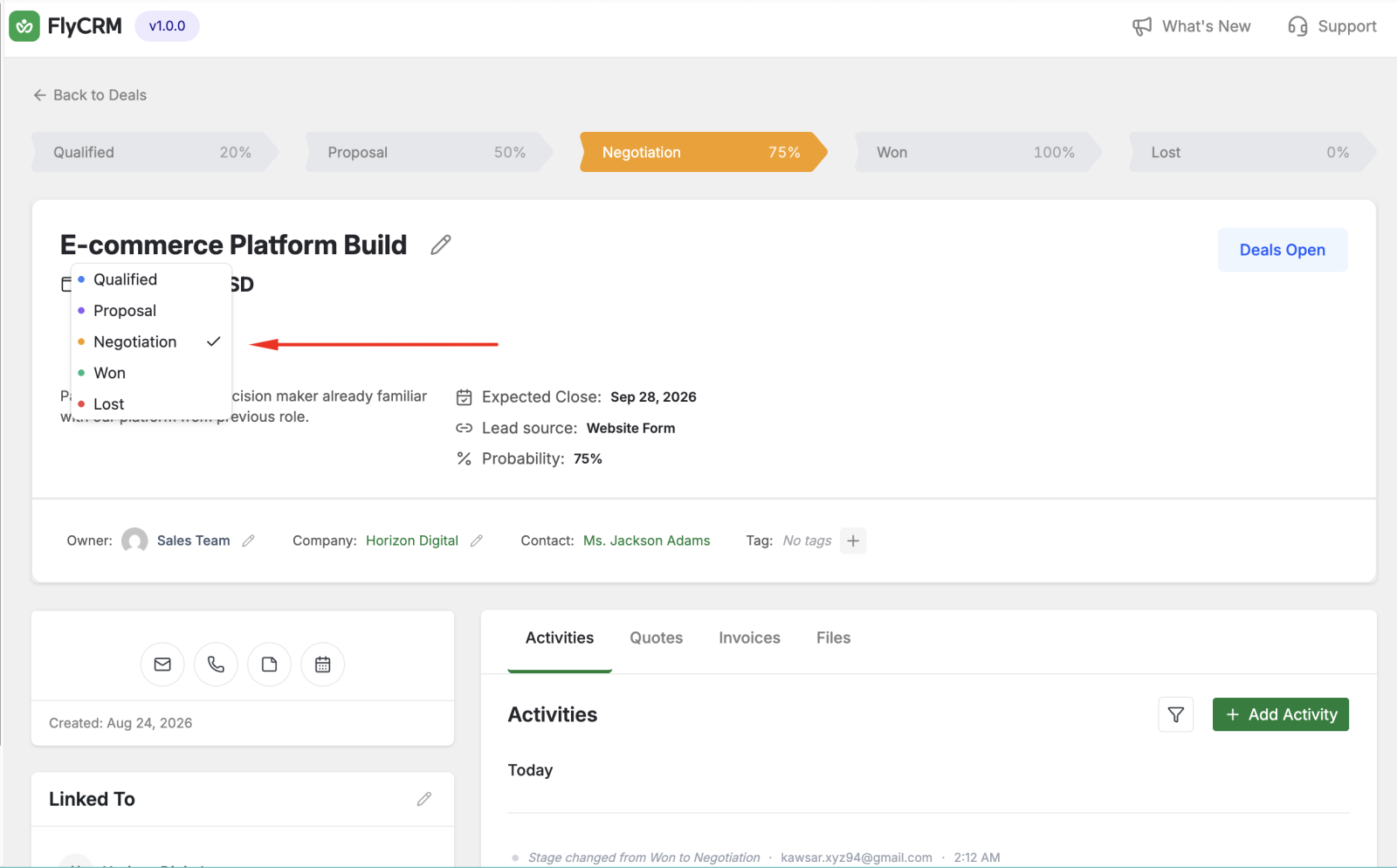
- Find the Stage field near the top of the deal page.
- Select the new stage from the list.
FlyCRM saves the new stage. The probability changes to match the stage.
Was this page helpful?