
GETTING STARTED
CONTACTS
COMPANIES
DEALS
Activities
Other Features
Integrations
weMail Integration
Send your FlyCRM contacts to weMail as subscribers. When you add or change a contact in FlyCRM, the contact goes into the weMail list that you choose. You can also send all of your existing contacts at one time.
The weMail integration is free in FlyCRM. It is in the Email Marketing category.
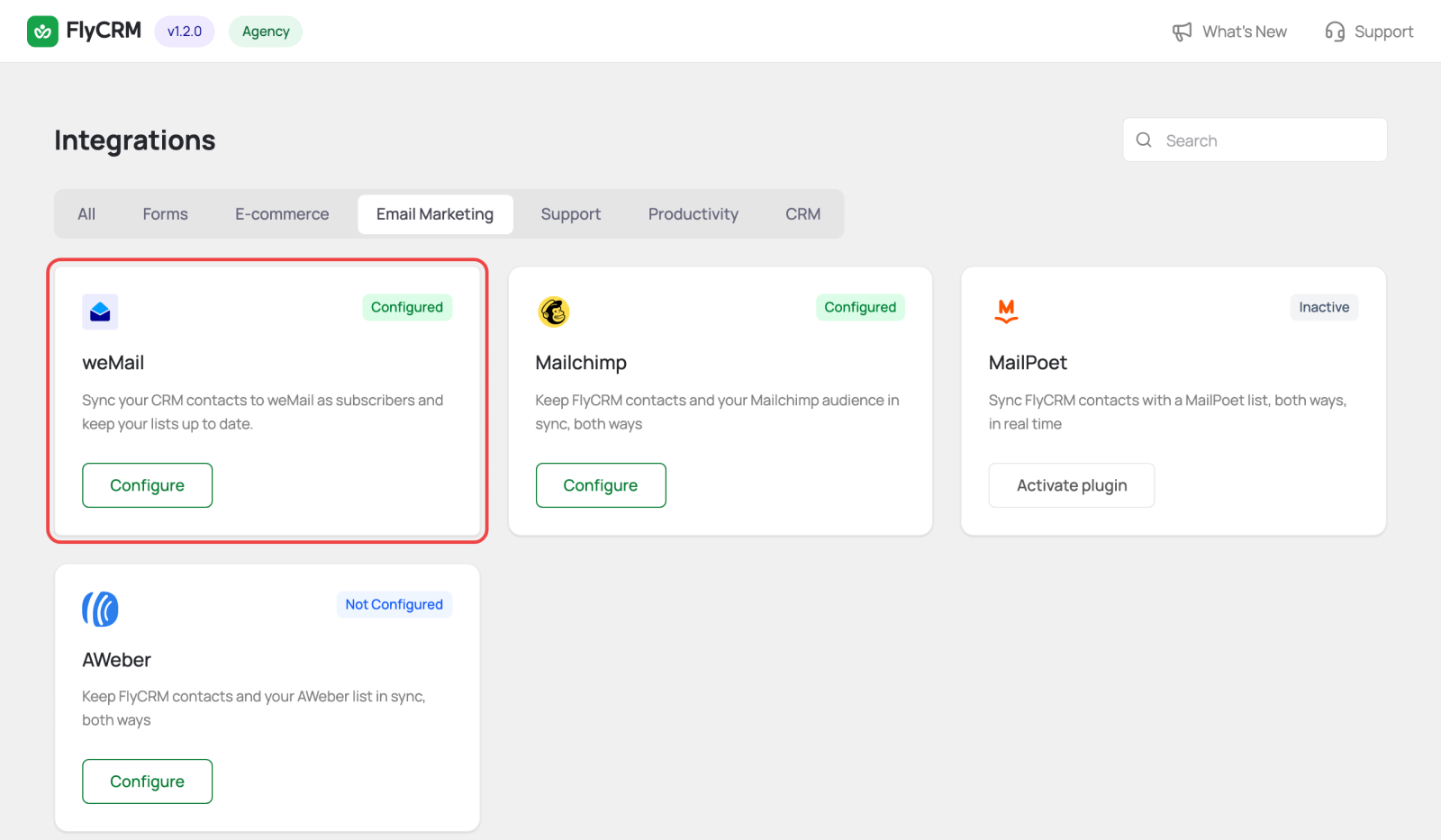
weMail is our own product, and it keeps getting better. weMail is designed to integrate tightly with FlyCRM, and it's highly cost-effective. Try the free version here, and see the cost of sending emails using weMail here.
What the integration does
- The sync goes in one direction only: from FlyCRM to weMail. New weMail subscribers do not come back into FlyCRM (export them using the Import option).
- FlyCRM sends the email address, first name, and last name. If the contact is linked to a WordPress user, FlyCRM also sends that user.
- FlyCRM matches subscribers by email address. A contact that is already in weMail is updated, not added a second time.
- FlyCRM skips contacts that have no email address.
Before you start
- Install and activate the weMail plugin.
- Connect weMail to your weMail account. Do this in weMail's own settings page.
- Make sure that you have at least one list in weMail.
Turn on the integration
- Go to FlyCRM > Integrations.
- Select the Email Marketing tab.
- On the weMail card, select Configure.
- Turn on the switch at the top right.
If weMail is not connected to an account, FlyCRM shows this message: "weMail is installed but not connected to an account." Connect weMail, then reload the FlyCRM page.
Choose a list
- Under Subscriber sync, select a list in weMail list.
- Keep Automatically sync contacts as they are created or updated on. It is on by default.
- Save the changes.
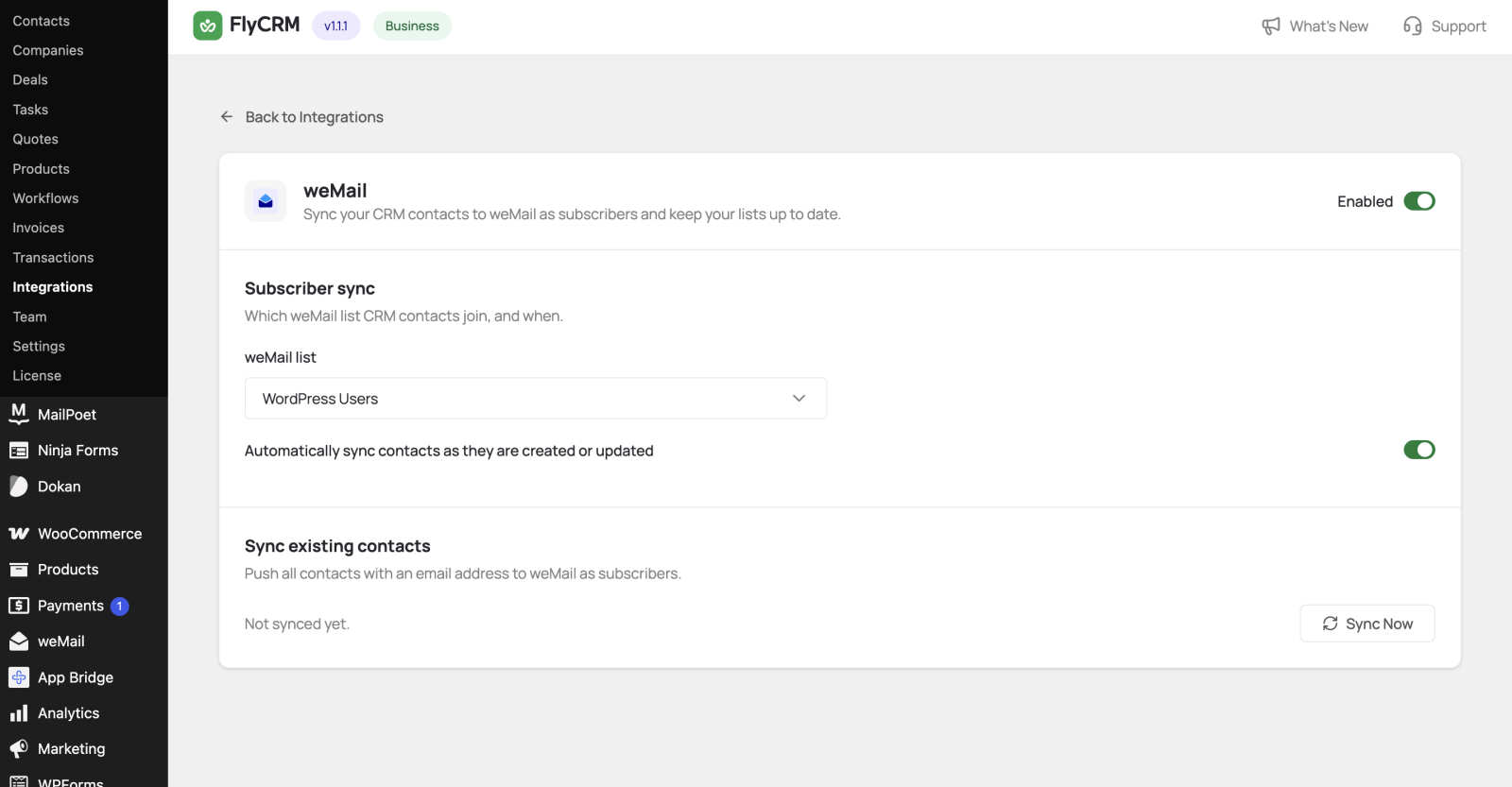
When the automatic sync is on, each new or changed contact goes to the list immediately. When it is off, contacts go to weMail only when you select Sync Now.
Send your existing contacts
- Under Sync existing contacts, select Sync Now.
- Wait until the progress bar is complete.
FlyCRM sends 100 contacts at a time and shows the count as it goes. When the sync is complete, the page shows the last sync date and the number of contacts that failed.

You must select a list and save before you sync. If you do not, FlyCRM shows the message "Select a weMail list and save before syncing contacts."
Troubleshooting
| Message | What to do |
|---|---|
| weMail is not connected to an account. | Connect weMail in its own settings page. Then reload the FlyCRM page. |
| Select a weMail list and save before syncing contacts. | Select a list under weMail list and save. |
| No contacts with an email to sync. | None of your contacts has an email address. Add email addresses first. |