
GETTING STARTED
CONTACTS
COMPANIES
DEALS
Integrations
Activities
Other Features
Importing data (contacts, leads, and companies
FlyCRM imports contacts, leads, and companies from CSV files. Each type has its own import screen and its own set of columns.
How the CSV must be structured
Every import file follows the same rules:
- First row = column headers. FlyCRM reads the header names to guess the mapping (for example a
First Namecolumn maps to the First Name field). You confirm or change the mapping before the import runs, so header names don't have to be exact — but clear headers save you work. - One record per row. One contact, one lead, or one company per line.
Import companies first, then contacts and leads. A contact or lead can name its company in a
Companycolumn. If that company already exists it is linked; if not, FlyCRM creates it (when you have permission to create companies). Importing companies first keeps the data tidy and avoids half-filled company records
Required fields
A row must have enough to identify the record, or it is rejected:
| Import type | Required (at least one of) |
|---|---|
| Contacts | First Name or Email |
| Leads | First Name or Email |
| Companies | Company Name |
A completely empty row is skipped silently. Any other row missing its required field is reported as an error in the summary (it is not imported).
Contacts — columns
Screen: FlyCRM ▸ Contacts ▸ Import
| CRM field | Suggested header | Required | Notes |
|---|---|---|---|
| First Name | First Name | one of these two | |
| one of these two | Must be a valid address, e.g. jane@acme.com. A row whose email already exists is rejected (see Duplicates). | ||
| Prefix | Prefix | e.g. Mr, Ms, Dr | |
| Last Name | Last Name | ||
| Phone | Phone | Free text, e.g. +49-30-5551-2087 | |
| Mobile | Mobile | ||
| Work Phone | Work Phone | ||
| Job Title | Job Title | ||
| Department | Department | ||
| Company | Company | Company name. Linked to an existing company or created if missing. | |
| Date of Birth | Date of Birth | Use YYYY-MM-DD | |
| Address Line 1 | Address Line 1 | ||
| Address Line 2 | Address Line 2 | ||
| City | City | ||
| State | State | ||
| Postal Code | Postal Code | ||
| Country | Country | ||
| Timezone | Timezone | e.g. Europe/Berlin | |
| LinkedIn URL | LinkedIn URL | ||
| X (Twitter) URL | X URL | ||
| Website URL | Website URL | ||
| Source | Source | Where the contact came from | |
| Source Detail | Source Detail |
Example — contacts.csv:
First Name,Last Name,Email,Phone,Job Title,Company,City,Country
Lukas,Meyer,lukas.meyer@brightpath.io,+49-30-5551-2087,CTO,Brightpath Analytics,Berlin,Germany
Sofia,Ricci,sofia.ricci@harborfin.com,+39-06-5552-3391,Finance Manager,Harbor Financial,Rome,Italy
Leads — columns
Screen: FlyCRM ▸ Leads ▸ Import
| CRM field | Suggested header | Required | Notes |
|---|---|---|---|
| First Name | First Name | one of these two | |
| one of these two | Valid address; duplicates rejected. | ||
| Last Name | Last Name | ||
| Phone | Phone | ||
| Company | Company | Company name (stored on the lead; linked/created like contacts). | |
| Job Title | Job Title | ||
| Website | Website | ||
| Score | Score | A whole number, e.g. 40 | |
| Source | Source | A lead source name — match an existing source such as Website Form, Referral, Cold Call, Trade Show, Partner, Email Campaign, Social Media. |
Example — leads.csv:
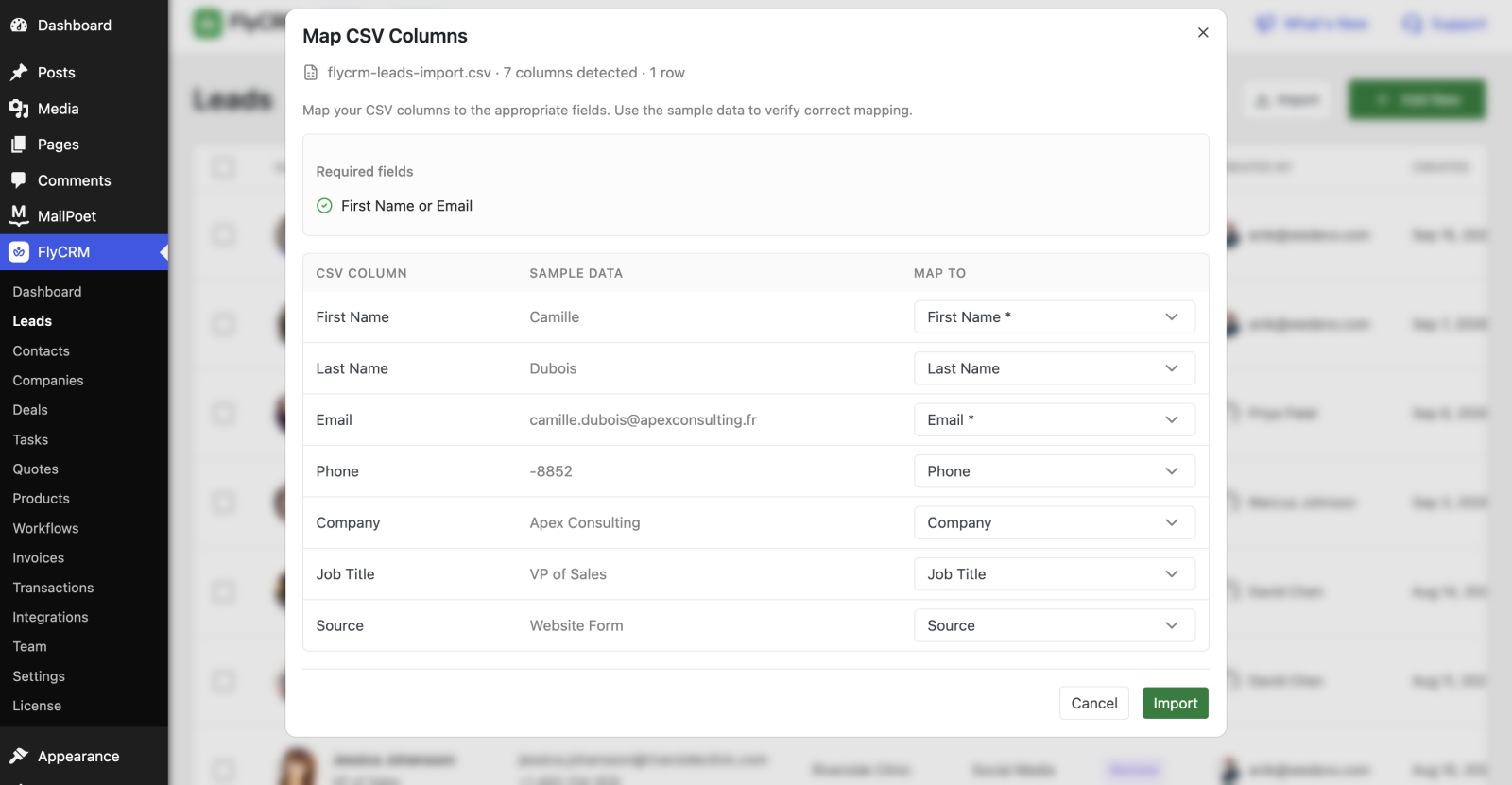
First Name,Last Name,Email,Phone,Company,Job Title,Source
Camille,Dubois,camille.dubois@apexconsulting.fr,+33-4-5560-3321,Apex Consulting,VP of Sales,Website Form
Andreas,Schneider,andreas.schneider@vertexrobotics.de,+49-89-5561-7789,Vertex Robotics,Head of IT,Trade Show
Companies — columns
Screen: FlyCRM ▸ Companies ▸ Import
| CRM field | Suggested header | Required | Notes |
|---|---|---|---|
| Company Name | Company Name | ✅ | |
| Valid address; duplicates rejected. | |||
| Phone | Phone | ||
| Website | Website | ||
| Industry | Industry | e.g. Software, Healthcare | |
| Employee Count | Employee Count | A number or a range, e.g. 11-50 | |
| Address Line 1 | Address Line 1 | ||
| Address Line 2 | Address Line 2 | ||
| City | City | ||
| State | State | ||
| Postal Code | Postal Code | ||
| Country | Country | ||
| Source | Source | ||
| Source Detail | Source Detail |
Example — companies.csv:
Company Name,Email,Website,Industry,Employee Count,City,Country
Brightpath Analytics,info@brightpath.io,https://brightpath.io,Software,51-200,Berlin,Germany
Harbor Financial,info@harborfin.com,https://harborfin.com,Finance,201-500,Rome,Italy
Run the import
- Go to the list for the type you're importing (Contacts, Leads, or Companies).
- Download the CSV given and edit it with your lead/contact/company data.
- Select Import and choose your CSV file.
- Map the columns. For each CRM field, pick the matching CSV column; leave a field unmapped if the CSV has no column for it. Check the preview rows.
- Select Import.
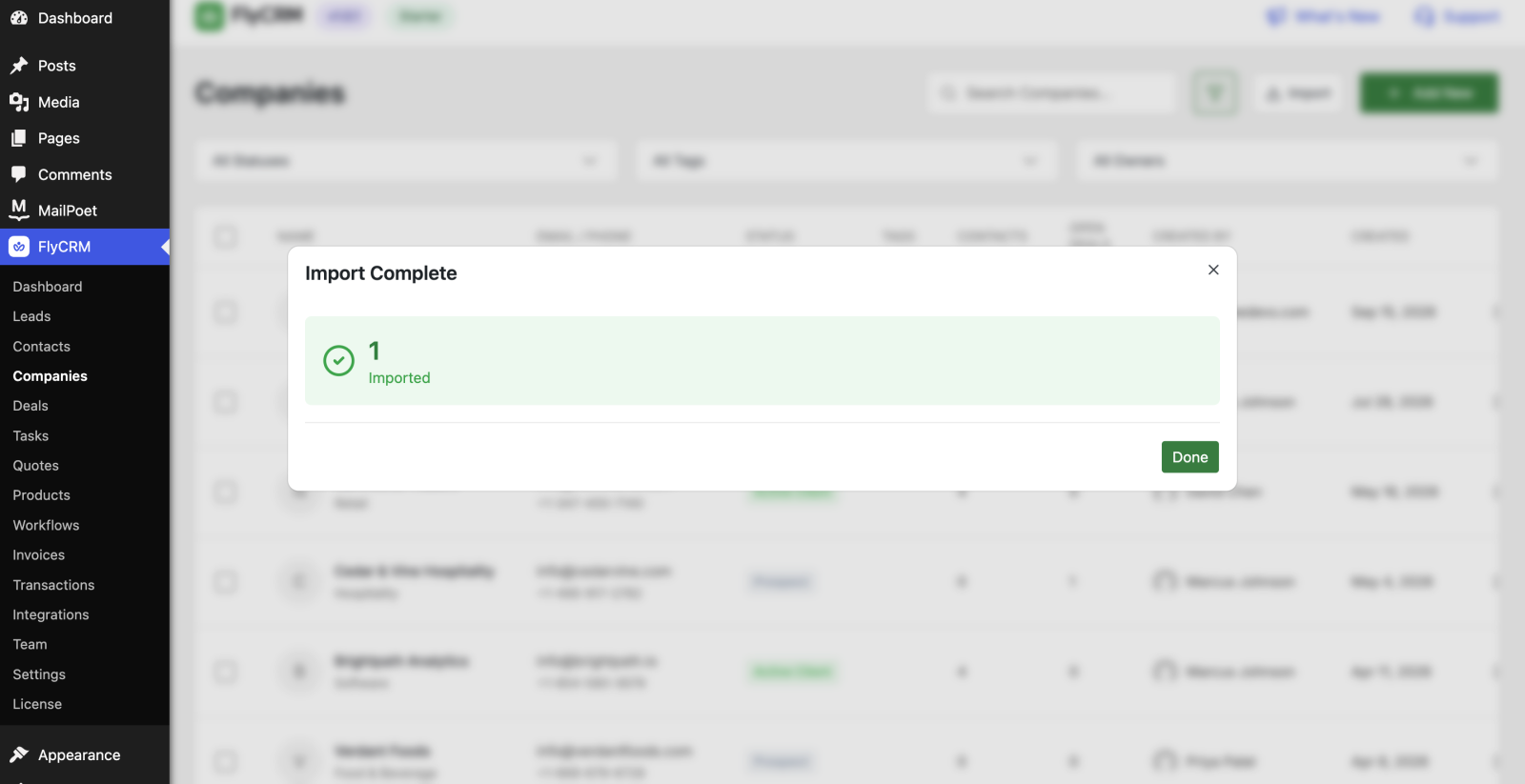
Every row ends up in one of three buckets, shown in the summary when the import finishes:
- Imported — the record was created.
- Skipped — the row was completely empty.
- Failed — the row was rejected, with the reason. A row fails when it:
- is missing its required field (First Name or Email; Company Name for companies),
- has an email that is not valid,
- has an email that already exists (see below), or
- has a value longer than the field allows (the report names the field and its limit).
Duplicates
FlyCRM checks the email against records of the same type. A row whose email already exists is rejected as an error — the existing record is left untouched and no copy is made. Import does not update existing records; it only creates new ones. To change records you already have, edit them in the app or use the record's own screens.
Rows without an email are never treated as duplicates, so importing the same no-email file twice creates the records twice.
Tips
CAUTION: Test with a small file first — import ten rows, check the result, then run the full file. A wrong mapping is far easier to fix on ten rows than on five thousand.