
GETTING STARTED
CONTACTS
COMPANIES
DEALS
Activities
Other Features
DEALS
How to win or lose a deal
A deal ends as Won or Lost. Won means the customer accepted the deal. Lost means the deal did not close. This guide shows how to mark a deal Won or Lost.
Steps
- In the admin menu, click FlyCRM, then click Deals.
- Open the deal that you want to close.
- Find the Stage field near the top of the deal page.
- Select Won to win the deal, or Lost to lose the deal.
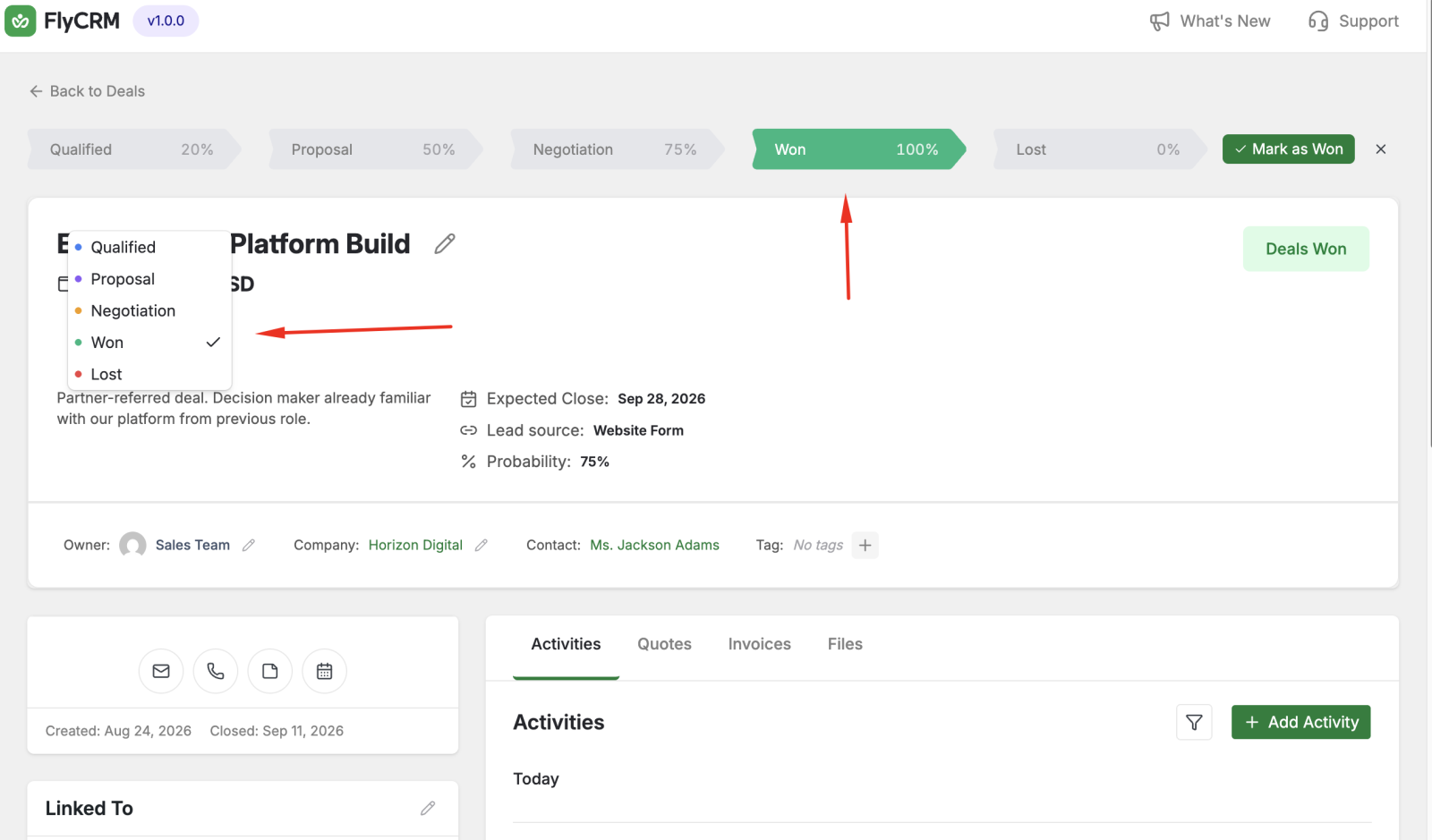
FlyCRM changes the deal status. A won deal gets a probability of 100 percent. A lost deal gets a probability of 0 percent.
What changes
A won deal counts toward your won revenue. A lost deal drops out of the open pipeline. The Stage History panel records the change with the date and the person.
Reopen a deal
To reopen a closed deal, open the deal. In the Stage field, select an open stage, for example Proposal or Negotiation. The deal returns to the open pipeline.
Was this page helpful?